# Pls I need the community help!
**URL:** https://forum.opendesktop.cc/t/pls-i-need-the-community-help/18098
**Category:** Products and Apps
**Created:** [September 10, 2019, 6:22pm UTC](https://forum.opendesktop.cc/t/pls-i-need-the-community-help/18098 "2019-09-10T18:22:22Z")
**Posts on this page:** 2
**Page:** 1
### Author:  [@johnkoh2004](https://forum.opendesktop.cc/u/johnkoh2004)
#### Post date: [September 10, 2019, 6:22pm UTC](https://forum.opendesktop.cc/t/pls-i-need-the-community-help/18098/1 "2019-09-10T18:22:23Z")
When I first downloaded and used Krita, it was completly fine. But, the next day when I opened the app, everything became bigger. Even the first loading image by Tyson Tan. It became twice as bigger as it was before.
Even the menu settings were bigger. Because of this I can’t even make a custom document because I can’t scale the panels either.
The reference image is my full laptop screen.
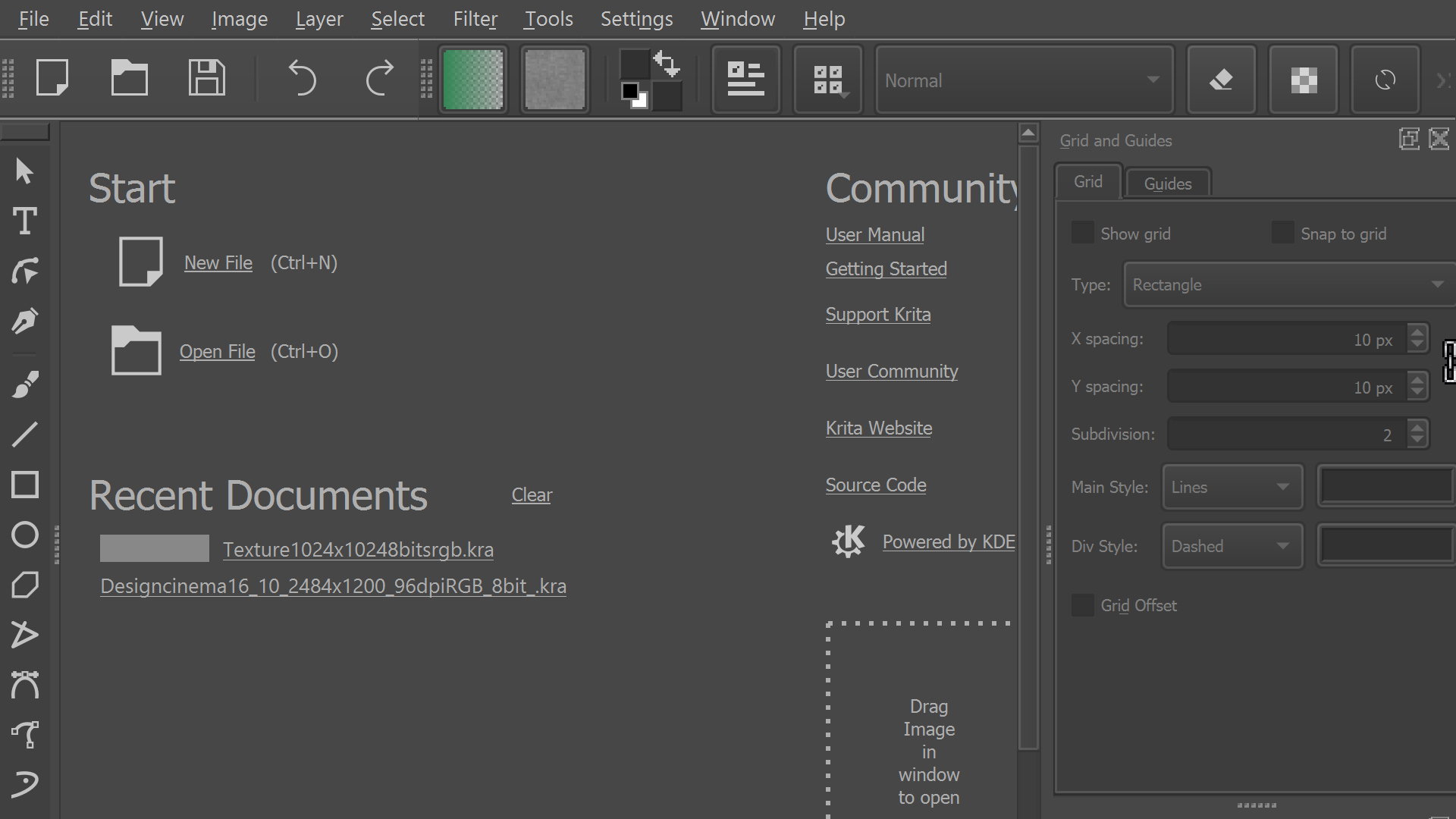
I NEVER touched the settings and I tried ctrl+scroll, ctrl++and ctrl±. They both don’t work. I’ve also tried reinstalling the app. Nothing changed. I would love to use Krita, but I couldn’t from the second day. Pls help me out. (I’m new so I only can upload one image.)
---
### Author:  [@opendesktop](https://forum.opendesktop.cc/u/opendesktop)
#### Post date: [September 11, 2019, 2:56pm UTC](https://forum.opendesktop.cc/t/pls-i-need-the-community-help/18098/2 "2019-09-11T14:56:05Z")
Best would be to post this into [https://forum.kde.org/viewforum.php?f=136](https://forum.kde.org/viewforum.php?f=136) forums?